
Purpose-built software for service businesses

Run the work.
Grow the business.

Bring estimates, customers, job details, scheduling, invoices, payments, and business reporting into one straightforward workspace built around how your trade actually operates.

Trade-specific workflowsClear from estimate to paymentSafe interactive demos
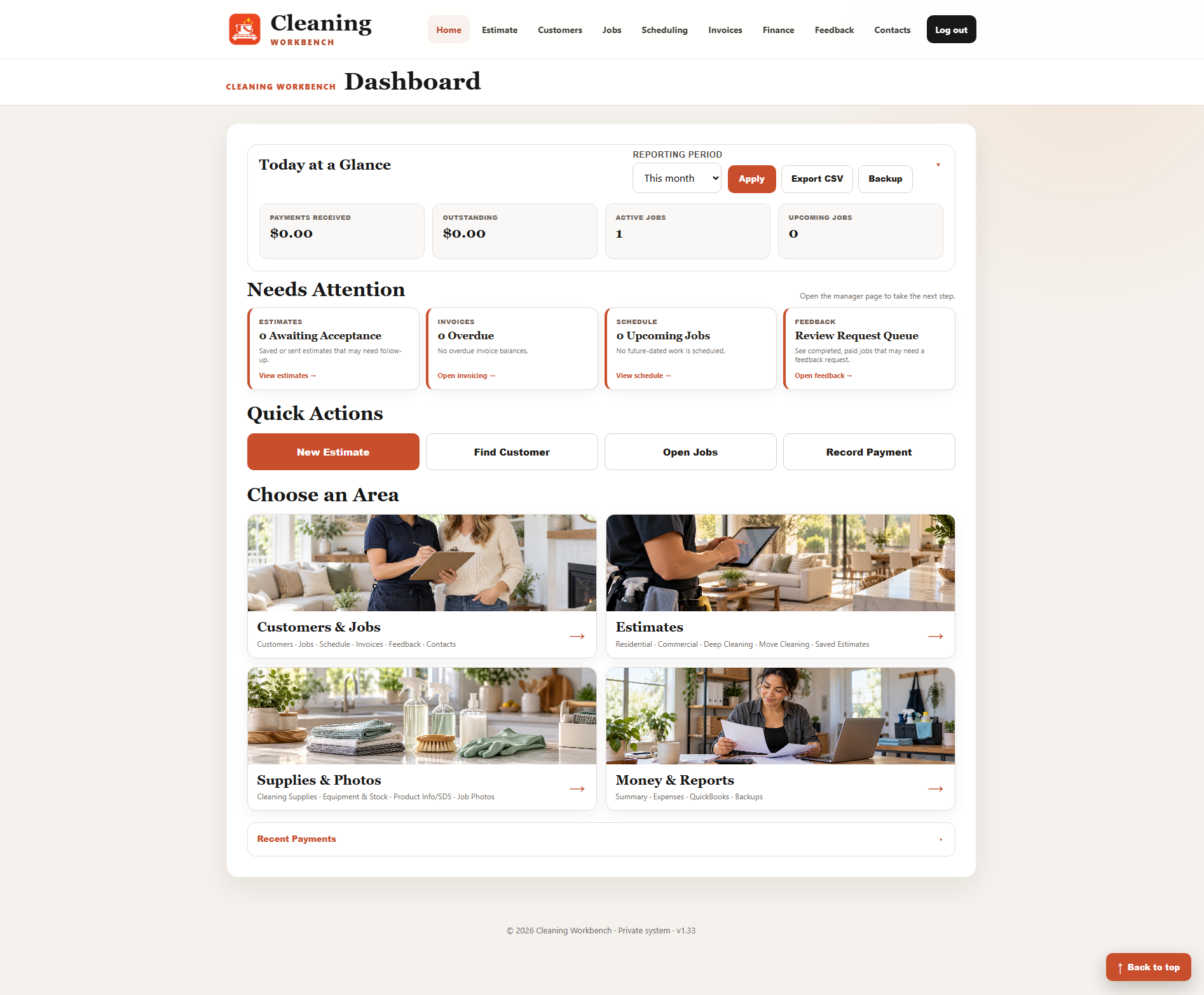
Cleaning Workbench dashboard preview
One connected workspaceLess jumping between tools and spreadsheets
Choose your workbench

Software shaped around the service you provide.

Each workbench uses the same dependable business foundation, then adds the estimating tools, job details, terminology, and materials your trade needs.

Cleaning Workbench icon

Cleaning Workbench

Residential and commercial cleaning

Quote cleaning work in detail, organize the visit, assign the job, track completion, and carry the approved amount through to invoicing.

  • Four estimate types
  • Editable rate settings
  • Room and service checklists
  • Job scheduling
  • Invoices and payments
  • Customer communication
  • Expenses and reporting
  • QuickBooks-ready exports
Painting and Wallpapering Workbench icon

Painting & Wallpapering

Painting, wallpaper, and decorating

Price labor and materials, calculate wallpaper quantities, manage accepted projects, invoice customers, and keep stock and project photos organized.

  • Interior and exterior estimates
  • Wallpaper calculator
  • Labor by day or room
  • Materials and pricing
  • Job scheduling
  • Invoices and payments
  • Wallpaper stock
  • Project photo gallery
One continuous workflow

Follow the job from the first inquiry to the final payment.

The important details move with the work, so you can see what happens next without rebuilding the same information in several places.

Build the estimate

Select the work, enter quantities, labor, materials, add-ons, and customer details.

Get approval

Save a professional estimate and keep accepted work ready for the next step.

Plan the job

Set dates, track status, organize notes, and keep the schedule visible.

Invoice and collect

Create the invoice from the job, record payments, and monitor open balances.

Review the business

Understand income, expenses, and activity, then prepare exports and backups.

Practical by design

Made to help you operate—not give you another system to manage.

Trade-specific from the start

The fields and calculations reflect cleaning, painting, and wallpapering work instead of forcing a generic sales system onto the job.

Details stay connected

Customer, estimate, job, schedule, invoice, and payment information follow a clear progression.

Useful on busy days

Dashboards, attention lists, quick actions, and search help you find the next task quickly.

Professional customer records

Keep contact details, work history, documents, communication, and balances together.

Your business data matters

Backups and exports help you retain access to the records you rely on.

A focused alternative

Get the operational tools a service company needs without unrelated enterprise complexity.

Try the live demos

Explore each workbench before requesting a walkthrough.

The interactive demos use sample data, so you can move through the main screens and understand how the pieces connect.

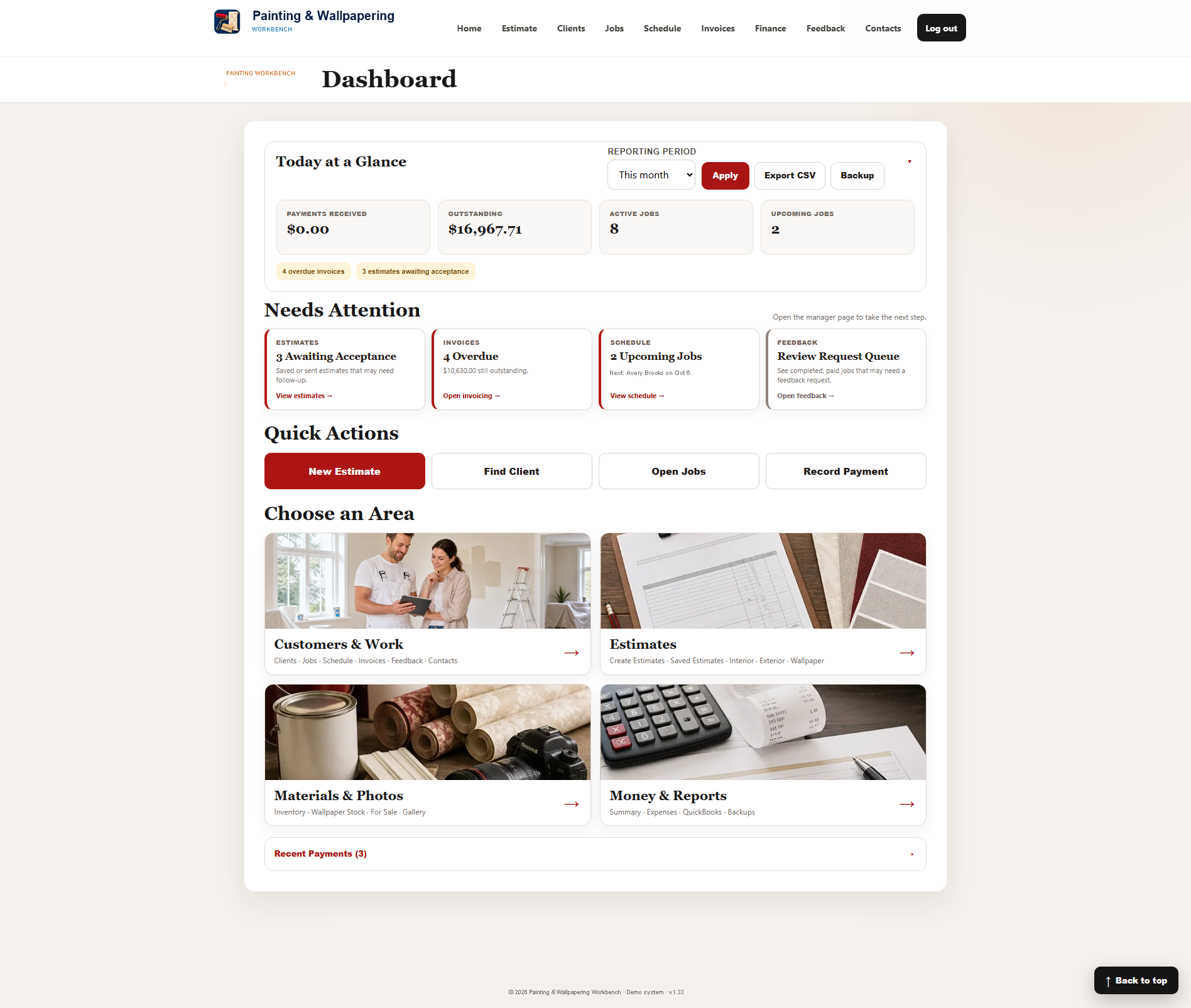
Cleaning Workbench demo

Cleaning Workbench demo

Explore detailed estimating, a job checklist, scheduling, invoicing, contacts, reporting, and expenses.

Open cleaning demo
Painting and Wallpapering Workbench demo

Painting & Wallpapering demo

Explore trade estimating, projects, scheduling, wallpaper stock, invoicing, photos, and business reporting.

Open painting demo
Questions

What to know before you explore.

Are the demos safe to use?

Yes. The public demos are designed for exploration and use fictional sample information. They are separate from private business records.

Are the workbenches identical?

No. They share a business foundation, but estimating, terminology, job details, materials, and specialty tools are tailored to each trade.

Can I see the entire estimate-to-invoice process?

Yes. Start in an estimator, review the sample approval and job steps, then continue into invoicing and payment reporting.

Can I export my records?

The workbenches include exports for key business records plus backup tools intended to help protect access to your information.

Do I need to install anything to try the demos?

No. Open either demo in your browser and use the sample workflow directly.

How do I ask about my business needs?

Email us to request a walkthrough. Tell us your trade and the part of your current workflow you most want to improve.

Ready to see which workbench fits your business?

Explore a live demo now, or request a focused walkthrough of estimating, jobs, invoicing, reporting, and the trade-specific tools that matter to you.

Request a walkthrough