
Cleaning Workbench icon
Cleaning business software

Run every cleaning job from one organized workspace.

Build detailed estimates, turn approved work into scheduled jobs, invoice customers, record payments, and understand how the business is performing—without piecing the workflow together across separate apps and spreadsheets.

One connected system

Everything you need to keep cleaning work moving

Cleaning Workbench follows the real path of a job—from the first customer request through payment and reporting—so the details you enter once remain useful at every stage.

Flexible cleaning estimates

  • Residential, commercial, deep-clean, and move-in/move-out workflows
  • Reusable rate settings for rooms, square footage, labor, supplies, and add-ons
  • Editable pricing, discounts, tax, visit notes, and optional services
  • Save drafts, reopen them, and create customer-ready estimate PDFs
Customers and job details

  • Keep names, phones, emails, addresses, and estimate history together
  • Search customer records instead of retyping information
  • Track access notes, service instructions, arrival windows, and team details
  • Move approved work into Job Manager without losing the original scope

Scheduling and daily work

  • Review work on a clear monthly calendar
  • See upcoming jobs, assigned teams, dates, and statuses at a glance
  • Keep the calendar read-only while Job Manager remains the source of truth
  • Use customer and job notes to prepare before arriving on site

Invoices and payments

  • Create invoices from completed jobs and saved estimate amounts
  • See drafts, paid invoices, overdue balances, and work ready to invoice
  • Record payment amounts, methods, dates, and reporting categories
  • Keep customer balances synchronized with the underlying job

Money and reports

  • Review income, cash, non-cash payments, expenses, and net income
  • Enter receipts into a monthly expense grid with custom categories
  • Export customers, invoices, payments, and expenses for QuickBooks review
  • Create backups before major imports or accounting work

Communication and records

  • Email or text estimates and customer information from the workflow
  • Keep business contacts separate from cleaning customers
  • Import contacts from standard vCard files
  • Request feedback after completed, paid work and keep job photos organized
A clearer workflow

From request to paid job in five practical steps

Each area is connected, so the owner always knows what needs attention next.

Build the estimate

Choose the service type, add the property details, select services, and price the work.

Confirm the customer

Save the customer record and preserve the approved scope, notes, and totals.

Plan the job

Set dates, arrival information, status, team, and private work notes.

Invoice and collect

Create the invoice, record payments, and see open or overdue balances.

Review the business

Check income and expenses, export accounting records, and back up the data.

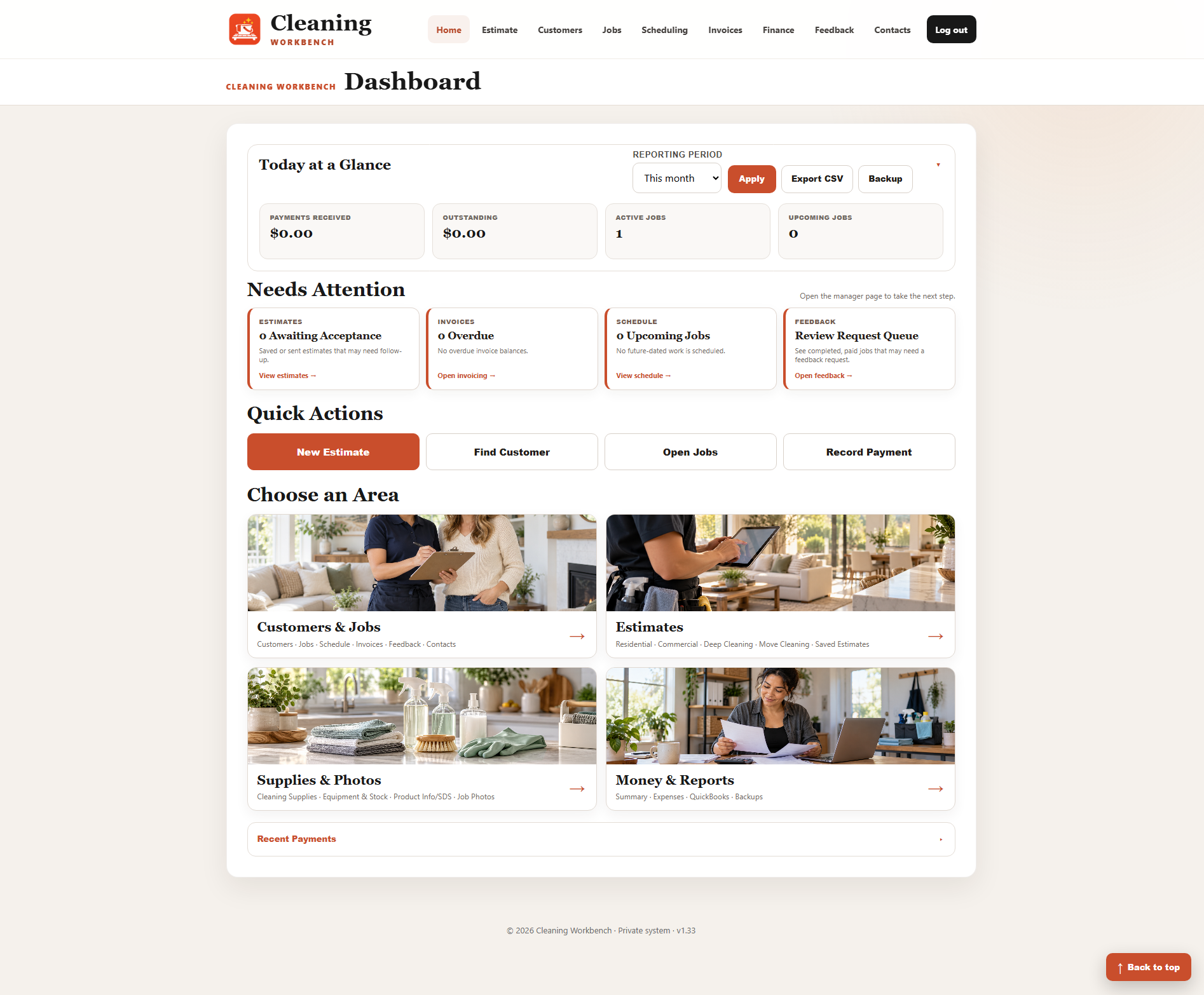
Cleaning Workbench dashboard showing business activity and quick actions
Built for the owner’s day

Know what needs attention before it becomes a problem.

The dashboard brings the most important numbers and next actions together: outstanding balances, active work, upcoming jobs, estimates awaiting acceptance, overdue invoices, and recent payments.

  • Quick links to create an estimate, find a customer, open jobs, or record a payment
  • Separate work areas for customers, estimates, supplies, photos, money, and reports
  • Responsive pages designed for desktop, tablet, and phone use
  • A focused interface with fewer menus and clearer next steps
Business results

Spend less time reconstructing the story of a job

Price consistentlyReusable rates and structured estimate types help reduce guesswork.
Stay organizedCustomer, job, schedule, invoice, and payment details stay connected.
Follow up fasterAttention cards make pending estimates and overdue balances visible.
Understand the numbersIncome, expenses, categories, and exports are available in the same workspace.

See the complete Cleaning Workbench workflow

The demo uses fictional information, so you can explore estimates, customers, scheduling, invoicing, reporting, and contacts safely.

Open the cleaning demo